What App Stores can I create screenshots for?
AppScreens helps you create screenshot sets for the Apple App Store and Google Play. Design one editable project and export it in the output sizes you select.
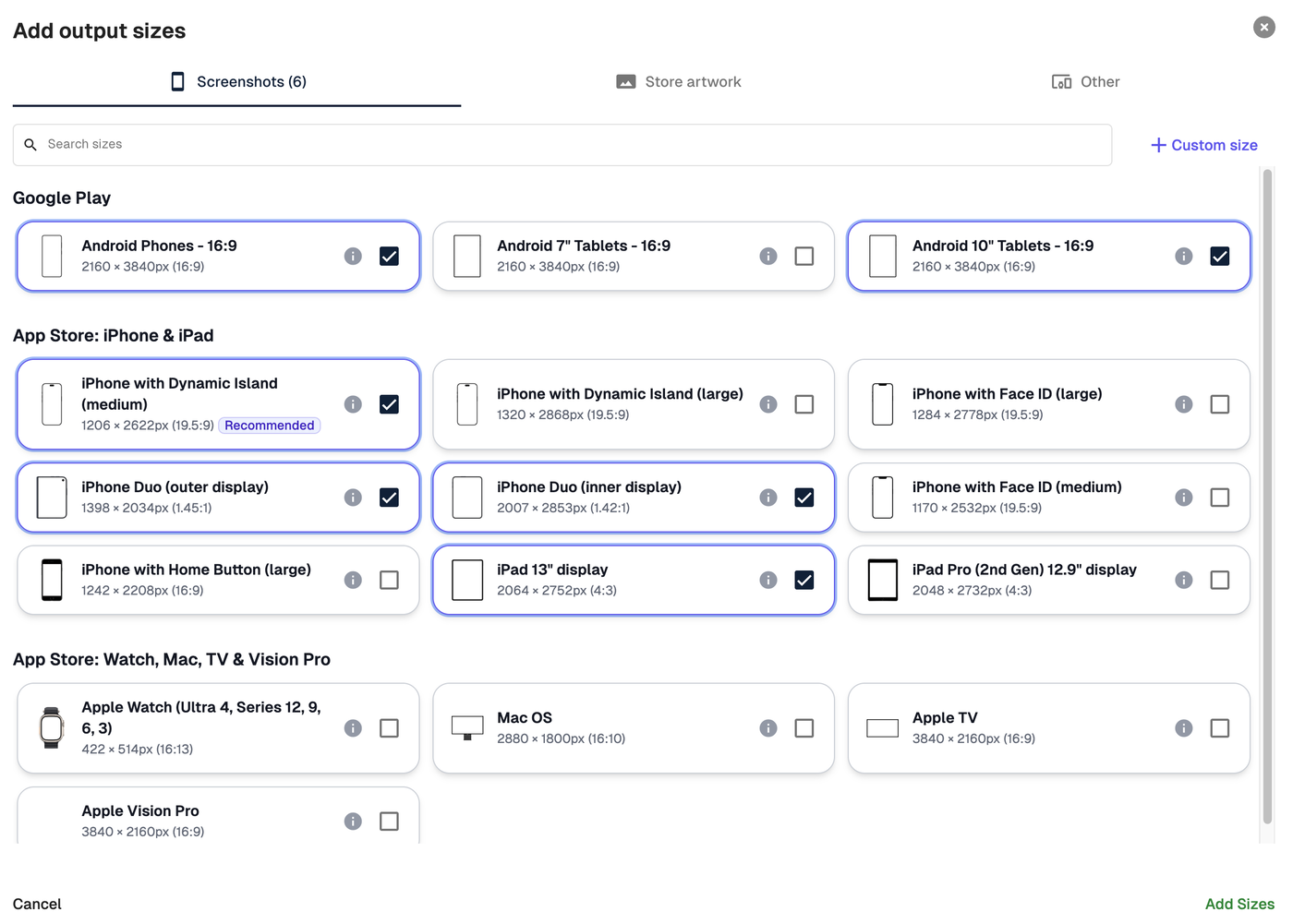
For the Apple App Store, that includes iPhone, iPad, iPhone Duo, Apple Watch, Mac, Apple TV and Apple Vision Pro. For Google Play, it includes Android phones and 7-inch and 10-inch tablets.
To get started, connect an AI agent through the AppScreens MCP and tell it which stores, devices and languages you need, or build your screenshot set directly in the AppScreens Designer. You can open an agent-created project in the Designer and make manual adjustments at any time.
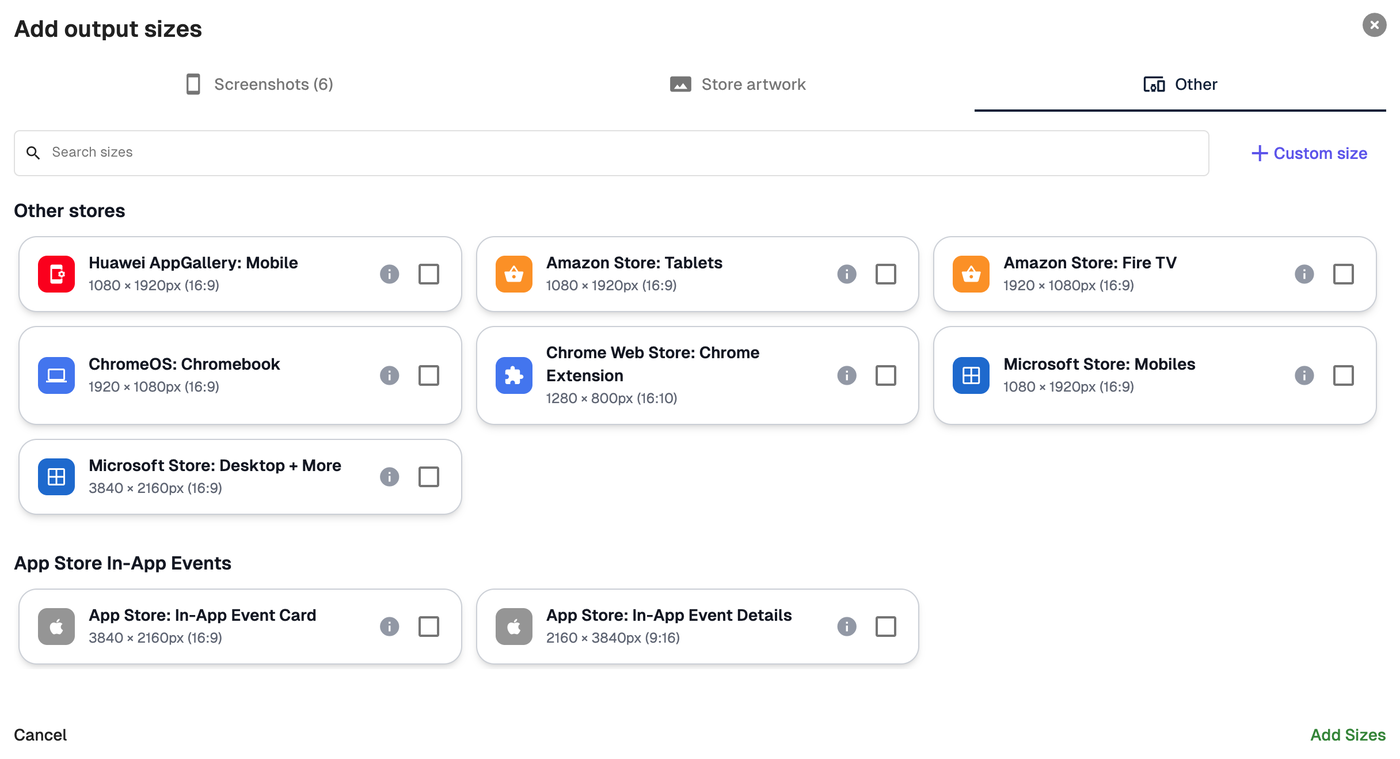
AppScreens also offers presets for these stores and asset types:
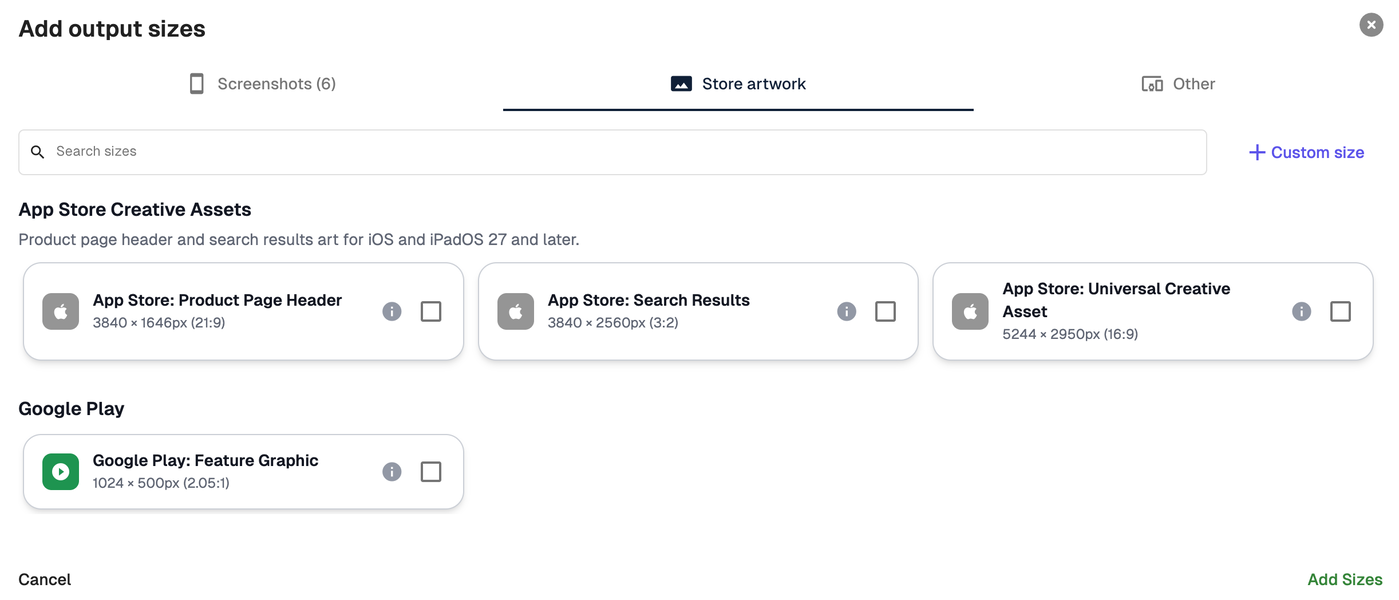
Google Play Feature Graphic
Apple App Store creative assets (Product Page Header, Search Results and Universal Creative Asset)
App Store In-App Events (Event Card and Event Details)
Huawei AppGallery
Amazon Store for Tablets and Fire TV
ChromeOS for Chromebook
Chrome Web Store for Chrome Extensions
Microsoft Store for Mobiles, Desktop & More
You can also create your own custom output size. Go to Project Setup → Output Sizes → Add sizes. Browse Screenshots, Store artwork, or Other for presets, or click + Custom size to enter your own dimensions. Your agent can also add these sizes for you. Available features and output sizes depend on your plan.
Direct upload is available for App Store Connect and Google Play. For other stores, download your finished files and upload them yourself.