

How do I upload screenshots to Custom Product Pages and Product Page Optimization tests?
To upload to a Custom Product Page (CPP) or a Product Page Optimization (PPO) test, click Export, open Upload to App Stores, choose the page or test under Upload target and click Export & upload. Google Play custom store listings and store listing experiments need a manual upload in Google Play Console.
Using an AI agent? Your agent can find your custom product pages and tests, create a new one after showing you a preview, and upload to it once you approve.
Before you start
Add your App Store Connect credentials to the app. See How to obtain credentials for automatic screenshot upload to Apple App Store Connect.
Create the custom product page or test in App Store Connect, or create it from AppScreens as shown below.
How to upload to a CPP or PPO test
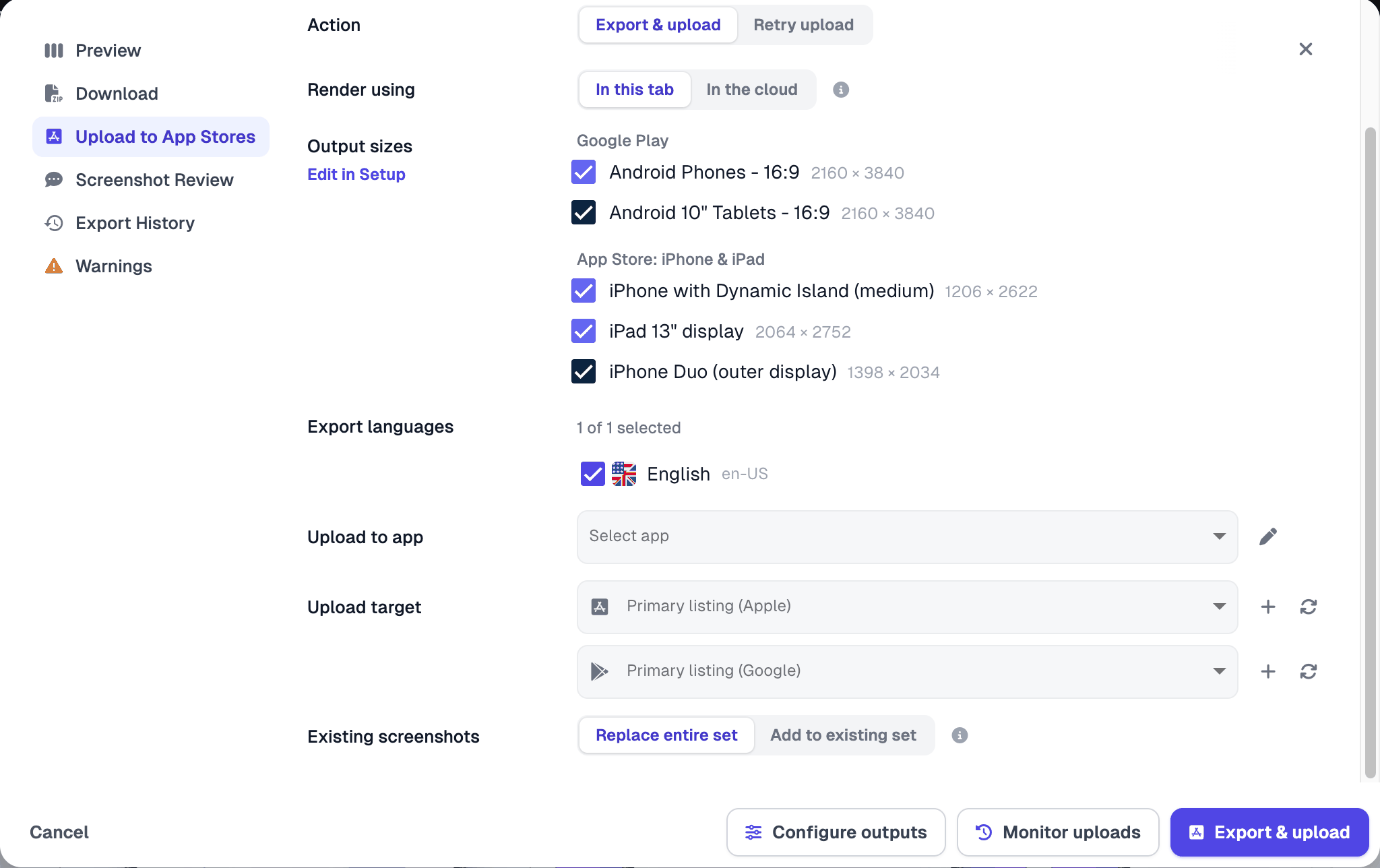
Click Export in the top bar and open the Upload to App Stores tab.
Under Upload to app, choose your app.
Open the Upload target menu with the App Store icon. Custom product pages are listed under Custom Product Pages as CPP: followed by the page name, and tests under Product Page Optimizations as PPO: followed by the test name. Click the refresh icon if a new page is missing.
Under Existing screenshots, choose Replace entire set to clear the screenshots already in that page or test, or Add to existing set to add yours to the end.
Click Export & upload. Follow progress with Monitor uploads, or later in Export History.
How do I create a new CPP or PPO test from AppScreens?
In the Upload to App Stores tab, click + (Create listings) next to the App Store Upload target menu.
In Create Listing, check the Platform and choose the Listing type: Custom product page or Product page test.
Enter a Name. For a test, also set the Traffic and Treatments.
Click Create listing, then choose it as your Upload target.
Creating listings needs a paid plan, App Store Connect credentials on the app and the app’s Apple bundle ID.
Can I upload to Google Play custom store listings or experiments?
Not directly. The Google Play API does not support uploads to Custom Store Listings or Store Listing Experiments, so they show as Manual upload in Google Play Console. Download your screenshots from the Download tab and upload them in Google Play Console instead.