How do I reset my password?
Reset your password
If you have lost access to your password, you can reset it from the login screen.
How to reset your password
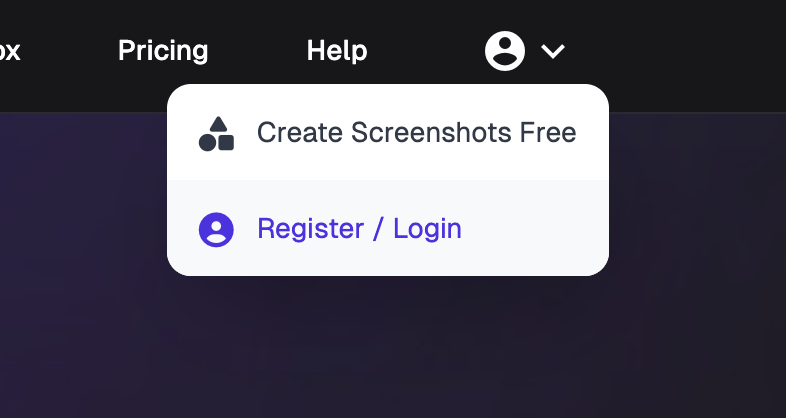
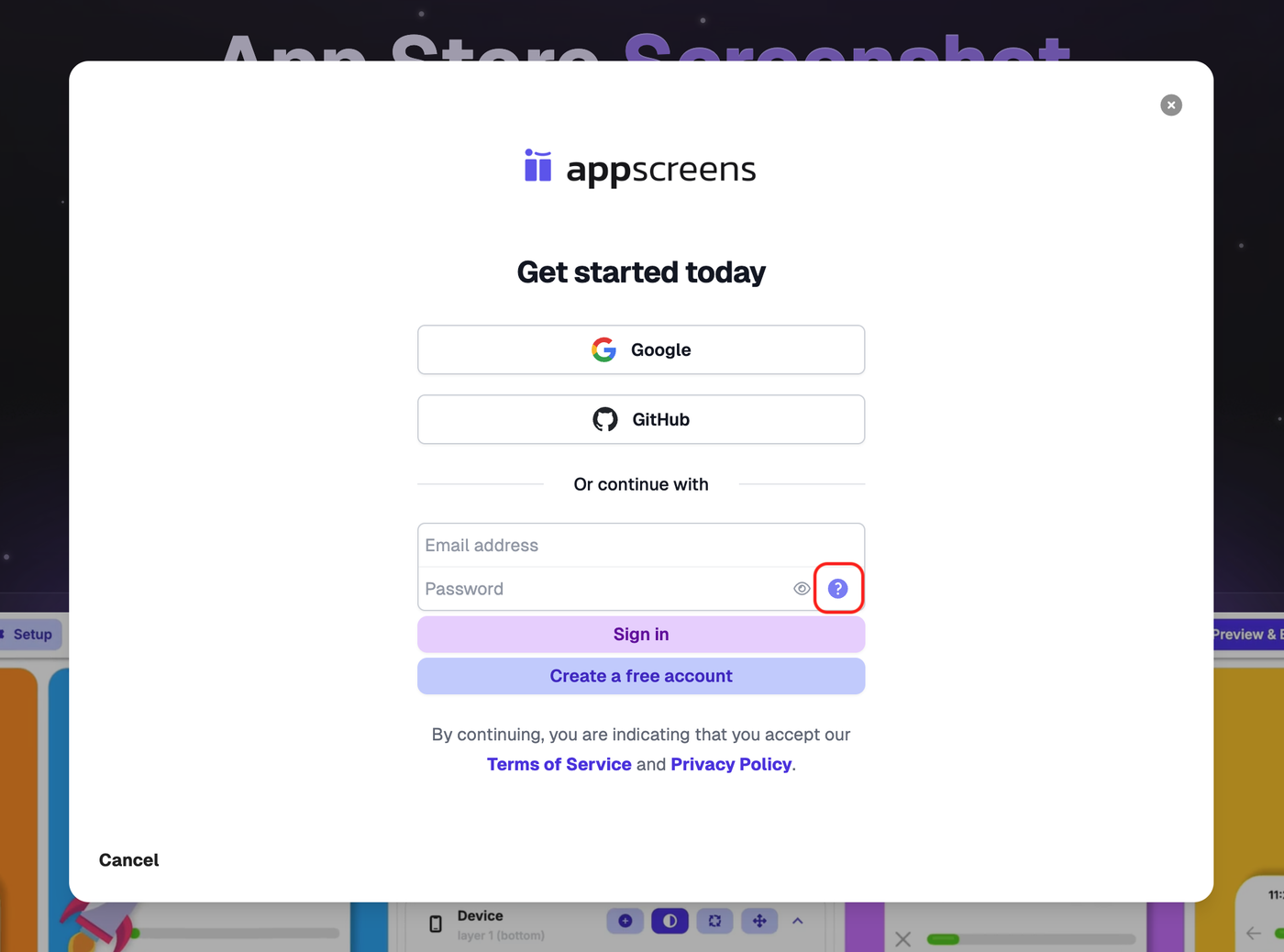
In the top right account drop down, select Register / Login
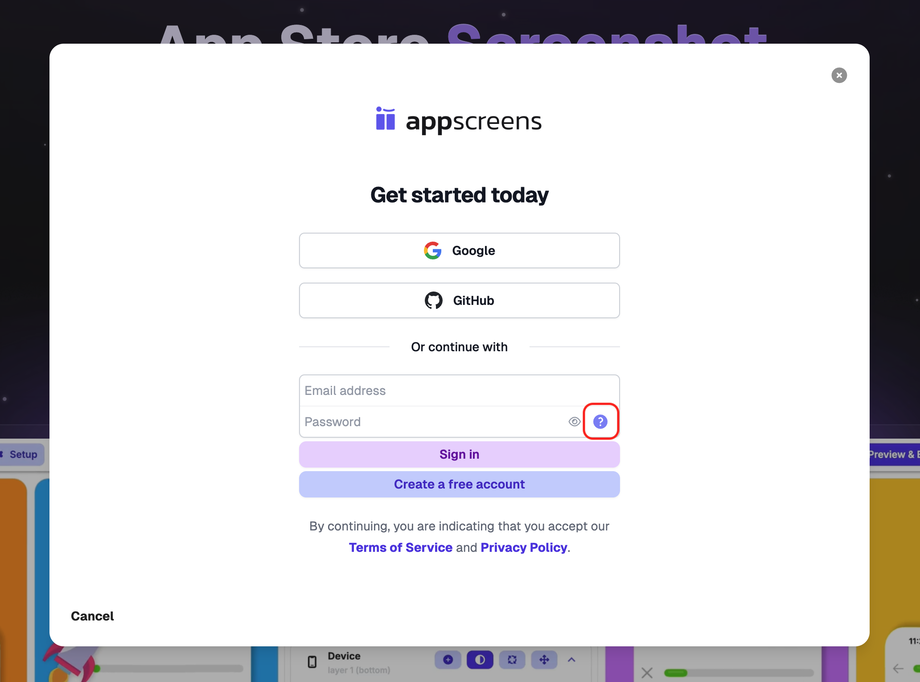
Enter your email address.
Click the ? icon next to the password field.
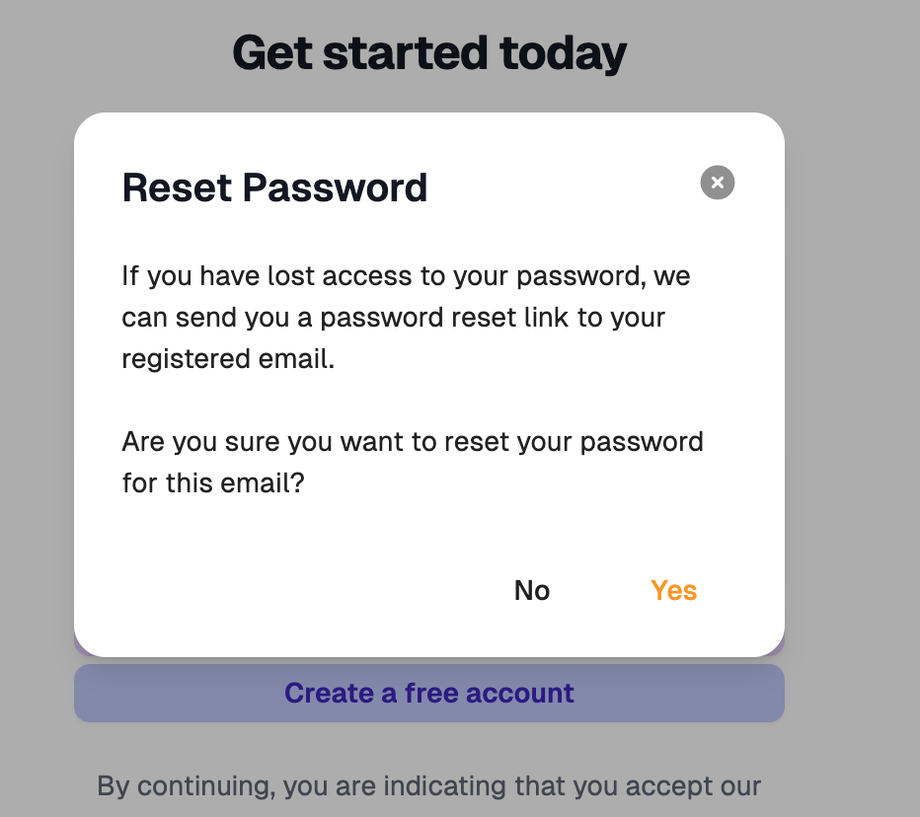
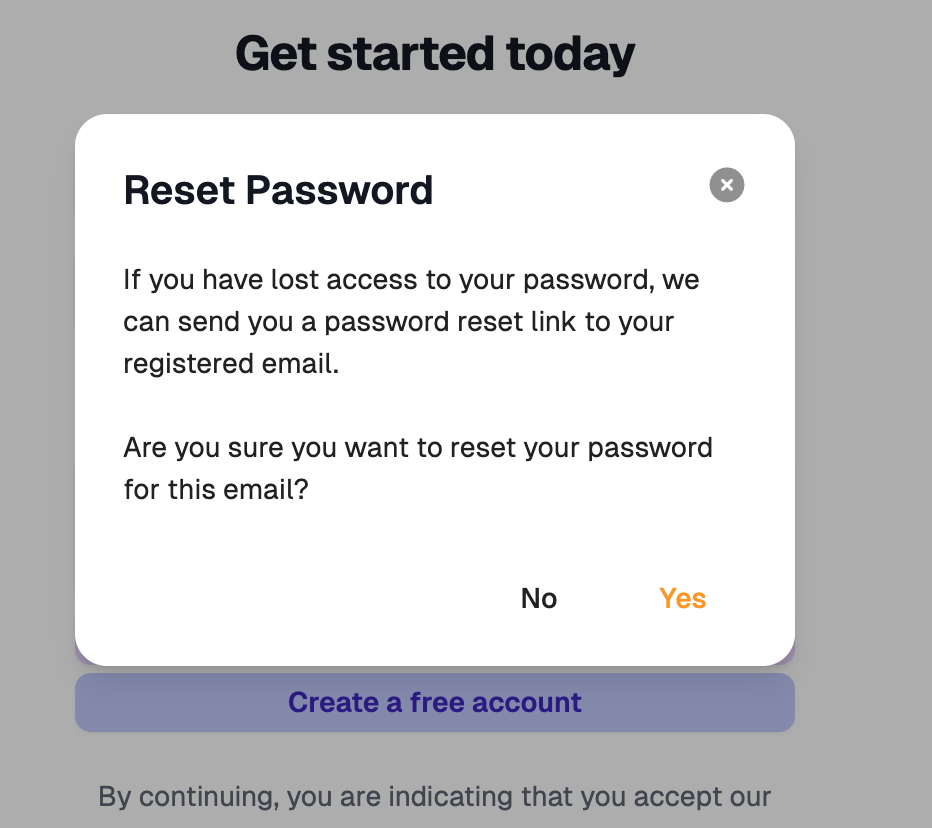
A Reset Password pop-up will appear.
Click Yes to confirm.
AppScreens will then send a password reset link to your registered email address.
Important
Make sure you enter the email address linked to your AppScreens account before clicking the ? icon.
If you do not receive the reset email, check your spam or junk folder.