
Setting up Global settings
Global settings
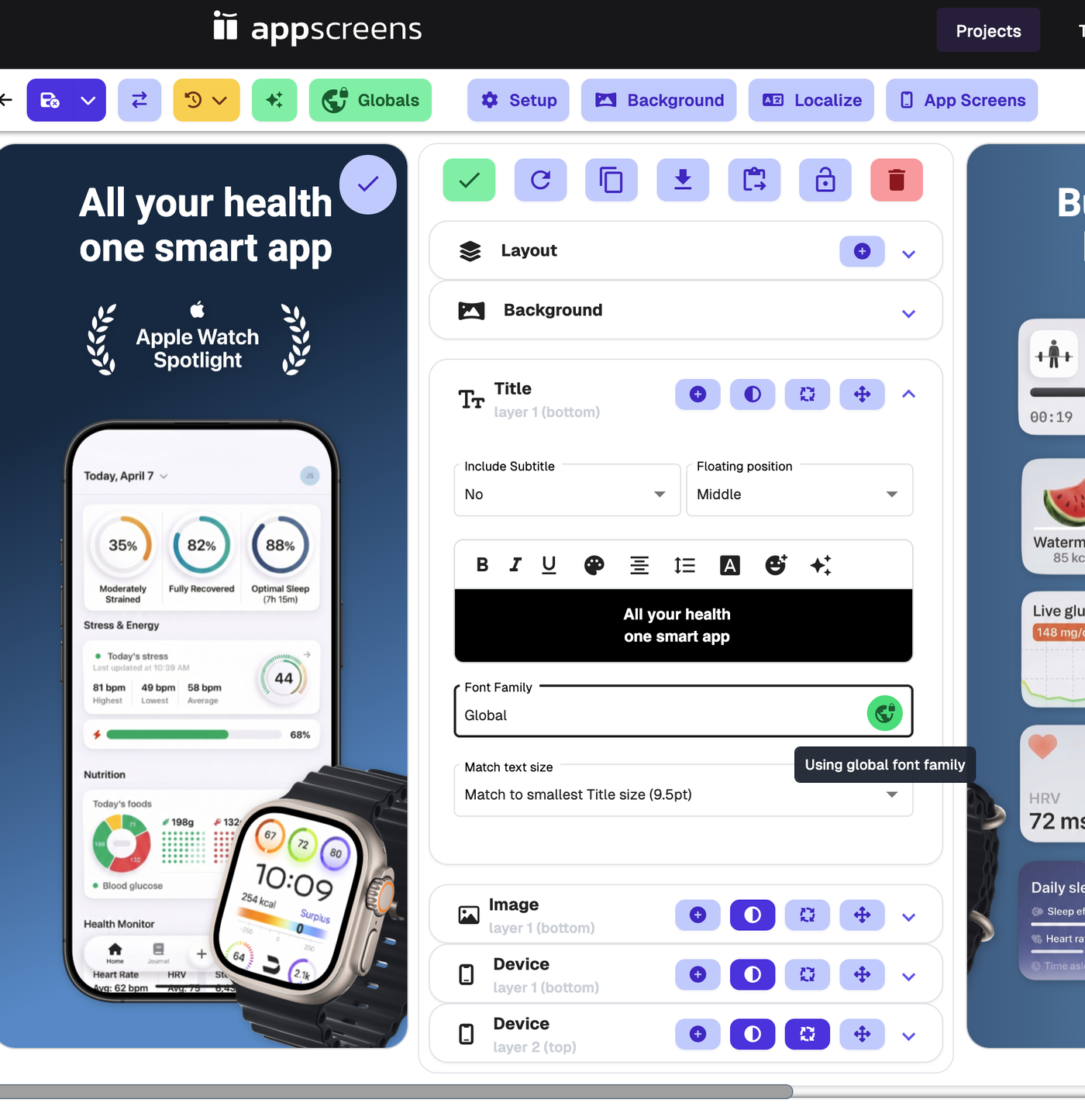
Global settings let you apply the same styling across multiple elements in your project, so you can update your design more quickly and keep things consistent.
To access Global settings, use the top toolbar and click Globals.

Why use Global settings?
Global settings are useful when you want to:
keep your project styling consistent
update multiple elements at once
save time when changing shadows, fonts, or colours across a project
If you want more individual control, click the Global icon on a specific element to turn Global on or off. When the icon is green, the global setting is being applied. When the icon is purple, it is turned off, so you can style that element separately.
What is included in Global settings?
Global settings include:
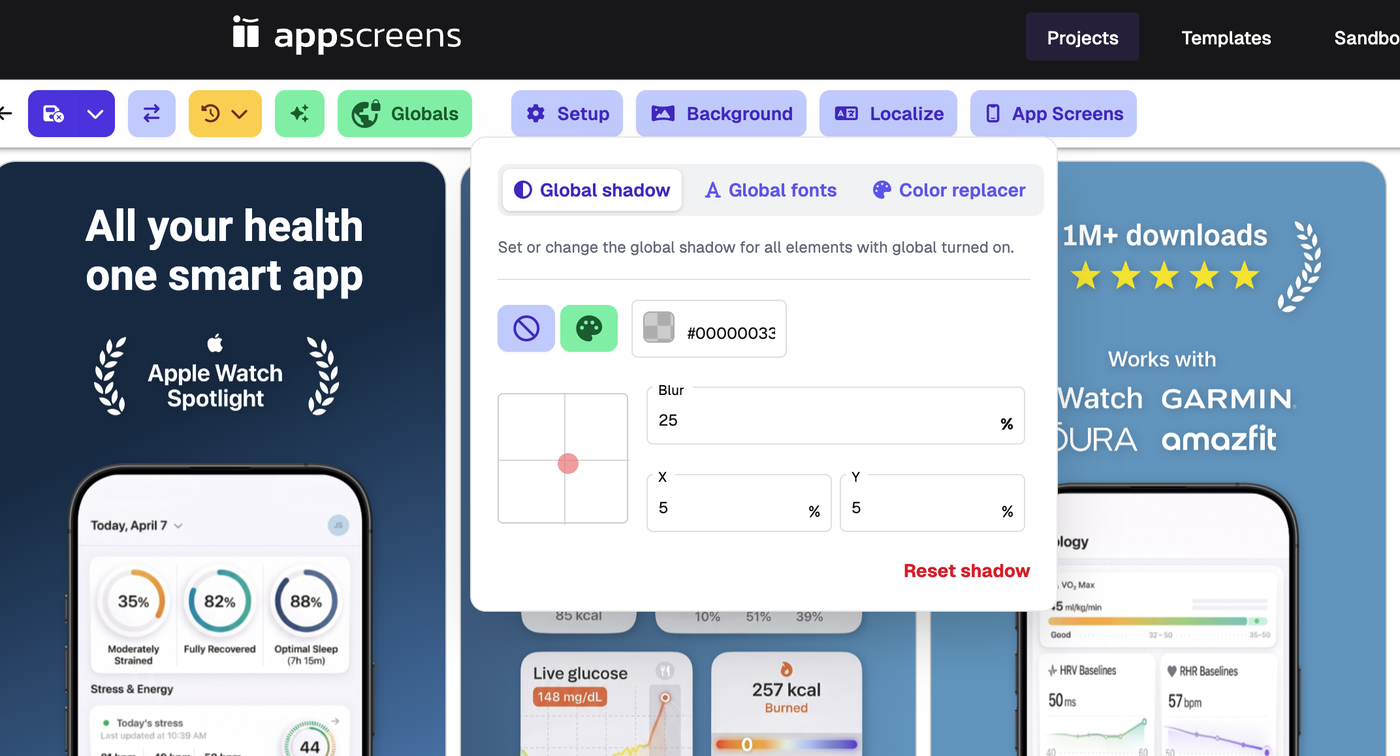
Global shadow
Use Global shadow to set or change the shadow for elements that have global shadow turned on.
This can be applied to:
Title elements
Image elements
Device elements
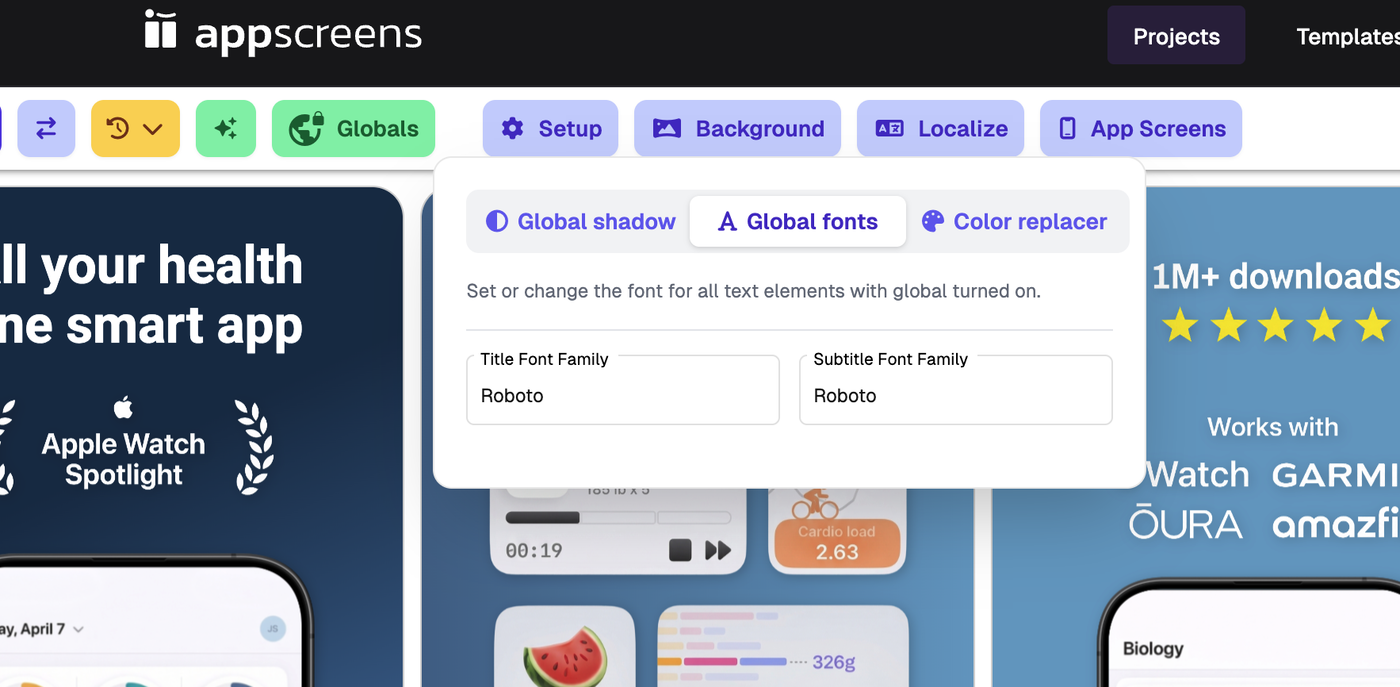
Global fonts
Use Global fonts to set the font for text elements that have global font turned on.
This can be applied to:
Title
Subtitle
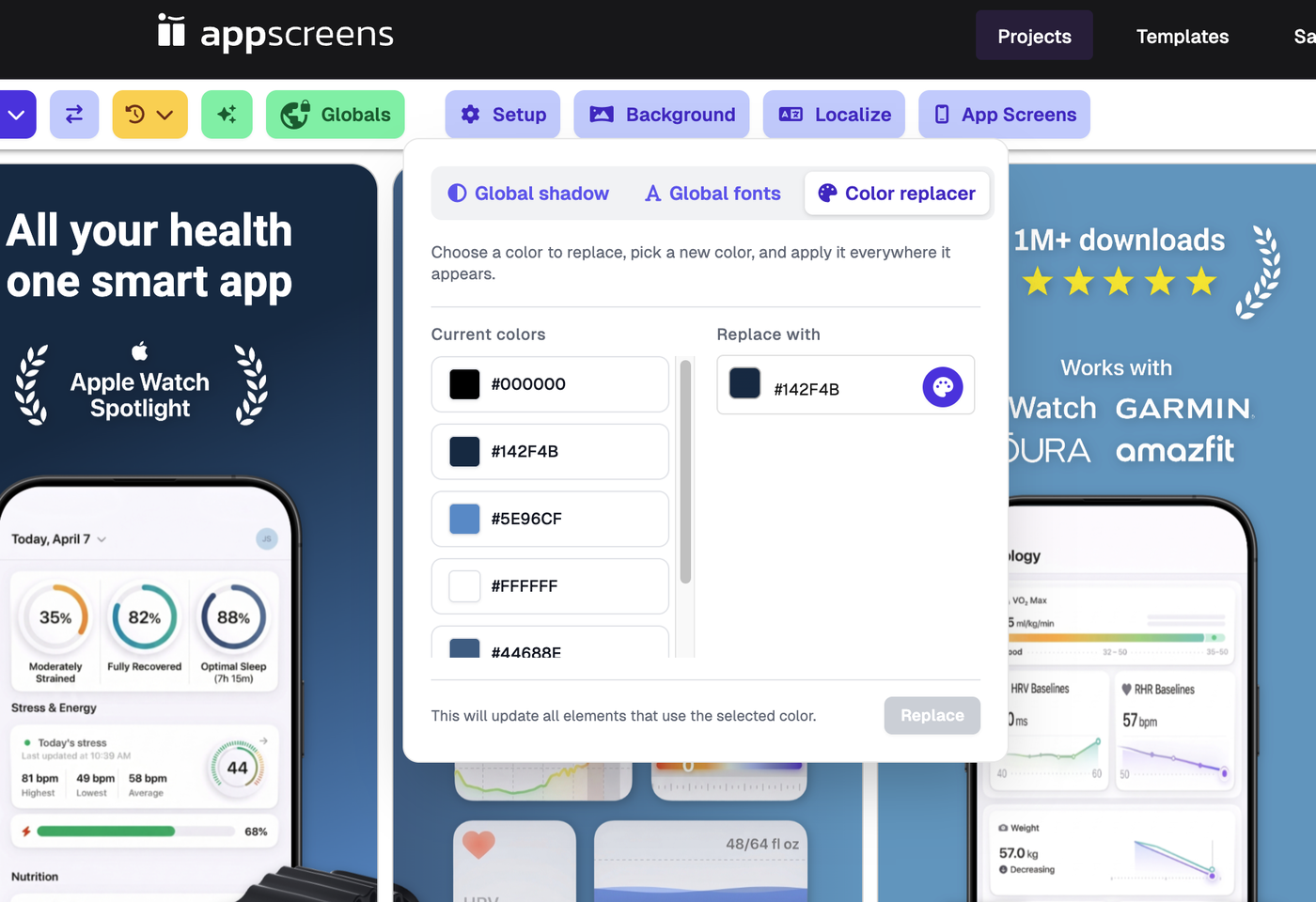
Color replacer
Use Color replacer to quickly update colours across your project.
choose a colour already used in your project
choose the new colour you want to replace it with
apply that replacement throughout the project
This is useful when you want to quickly update your project colours without editing each element one by one.
How do I know if Global is turned on?
If the global icon is green, Global is turned on for that setting or element.
This means that element is using the global setting instead of its own individual value.
For example:
if the global shadow icon is green, that element is using the Global shadow
if the global font icon is green, that text element is using the Global font