

How do I reorder layers in AppScreens?
To reorder layers in AppScreens:
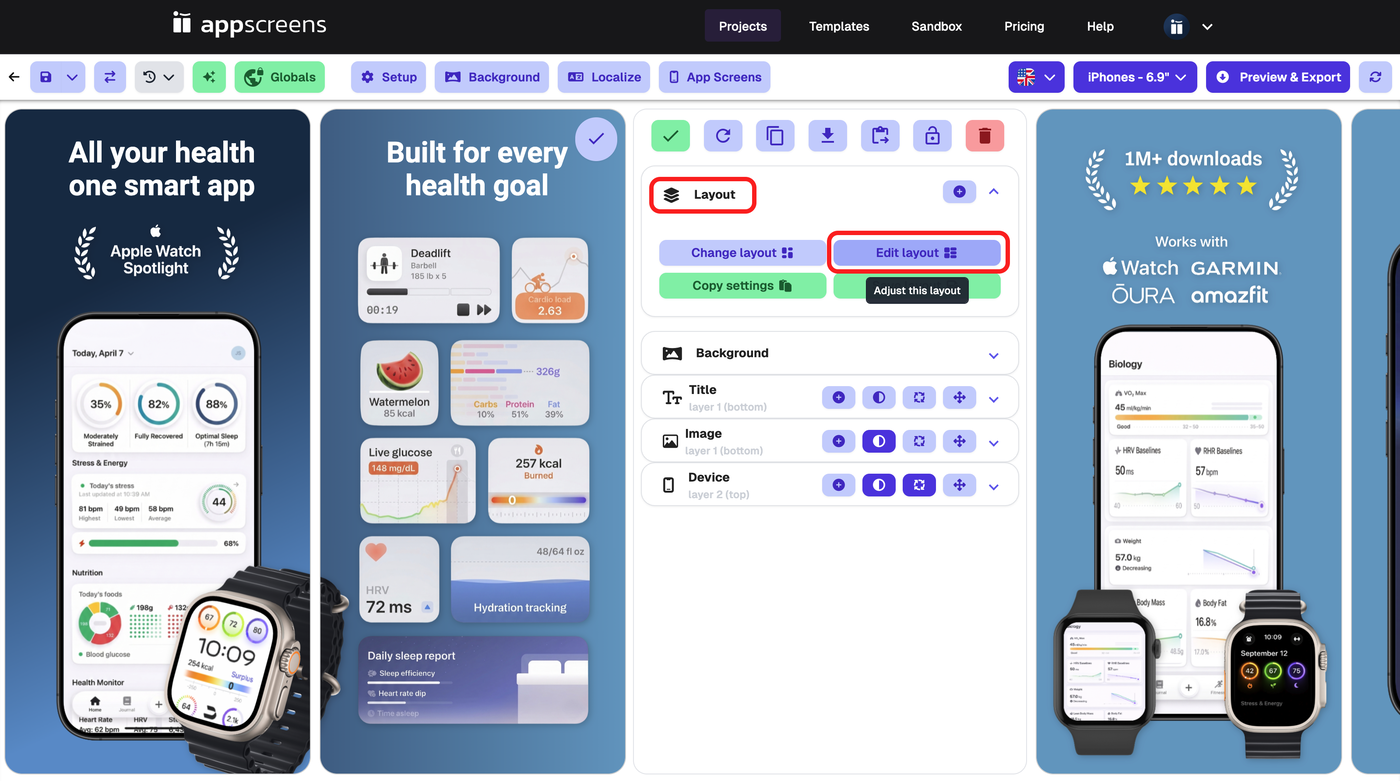
Open the screen you want to edit
Open the Layout section
Click Edit layout
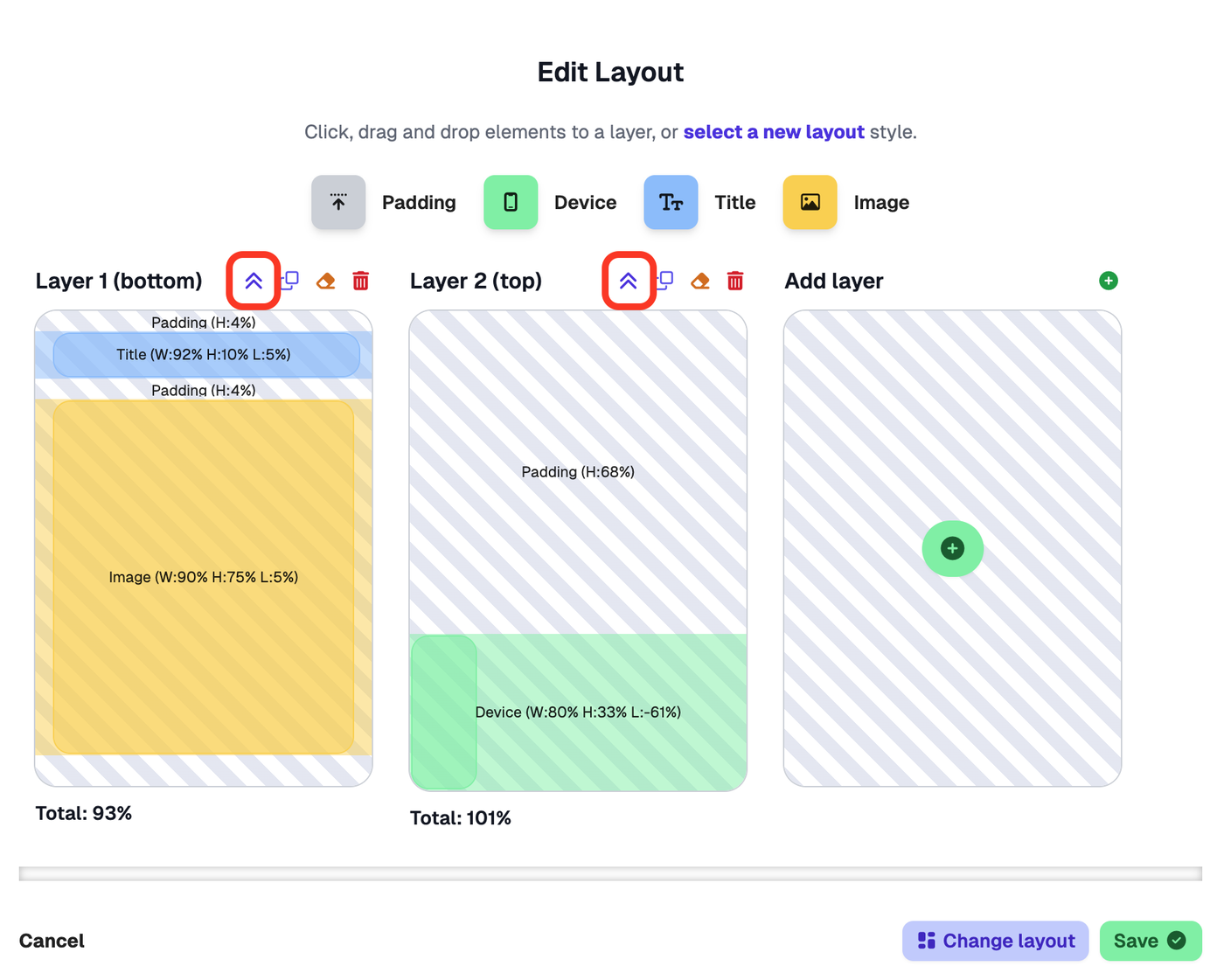
In the Edit Layout view, use the reorder controls above each layer to move that layer forward or backward
You can also use the Layout Designer to:
see the current layer order
add a new layer
remove a layer
change which elements sit on each layer
In the regular screen settings, you can see your layers listed, but to properly reorder them you need to go into Edit layout.
At the moment, layers are not reordered by dragging them up and down like Photoshop or Figma. You need to use the reorder controls inside Edit layout.
For more on adding, deleting, duplicating, and clearing layers, see Multiple Layers & Layering Elements.