Refund Policy
AppScreens subscription payments are non-refundable, including first-time purchases and renewals, except where required by law.
If you do not expect to need AppScreens long term, we recommend cancelling auto-renewal after subscribing. You will keep access to your paid plan until your subscription end date.
AppScreens is a SaaS tool, and most of the platform can be used without purchasing a subscription up front, which helps avoid unnecessary purchases. Once subscribed, you gain access to Pro features for generating App Store marketing assets, which incur generation costs on our side.
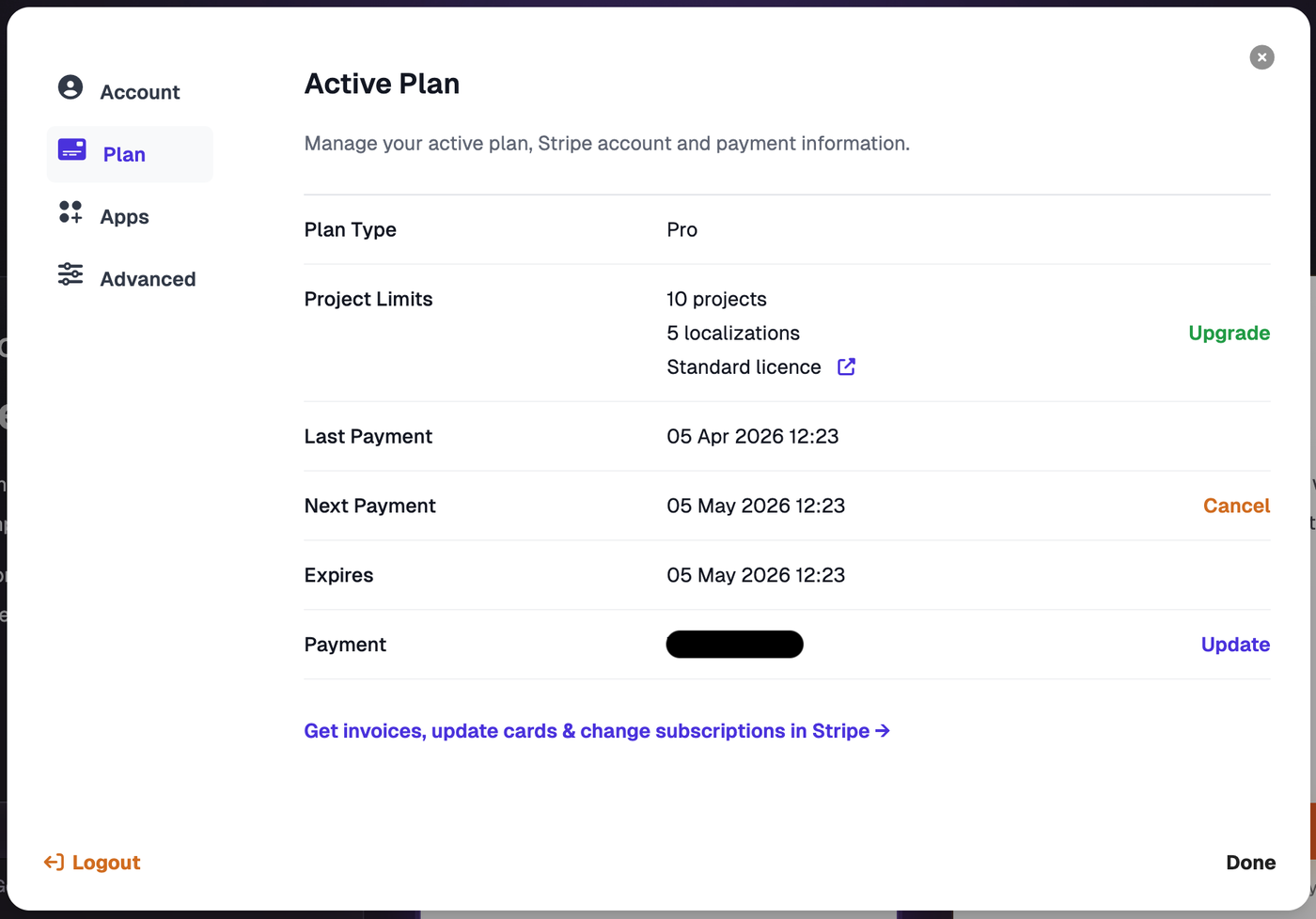
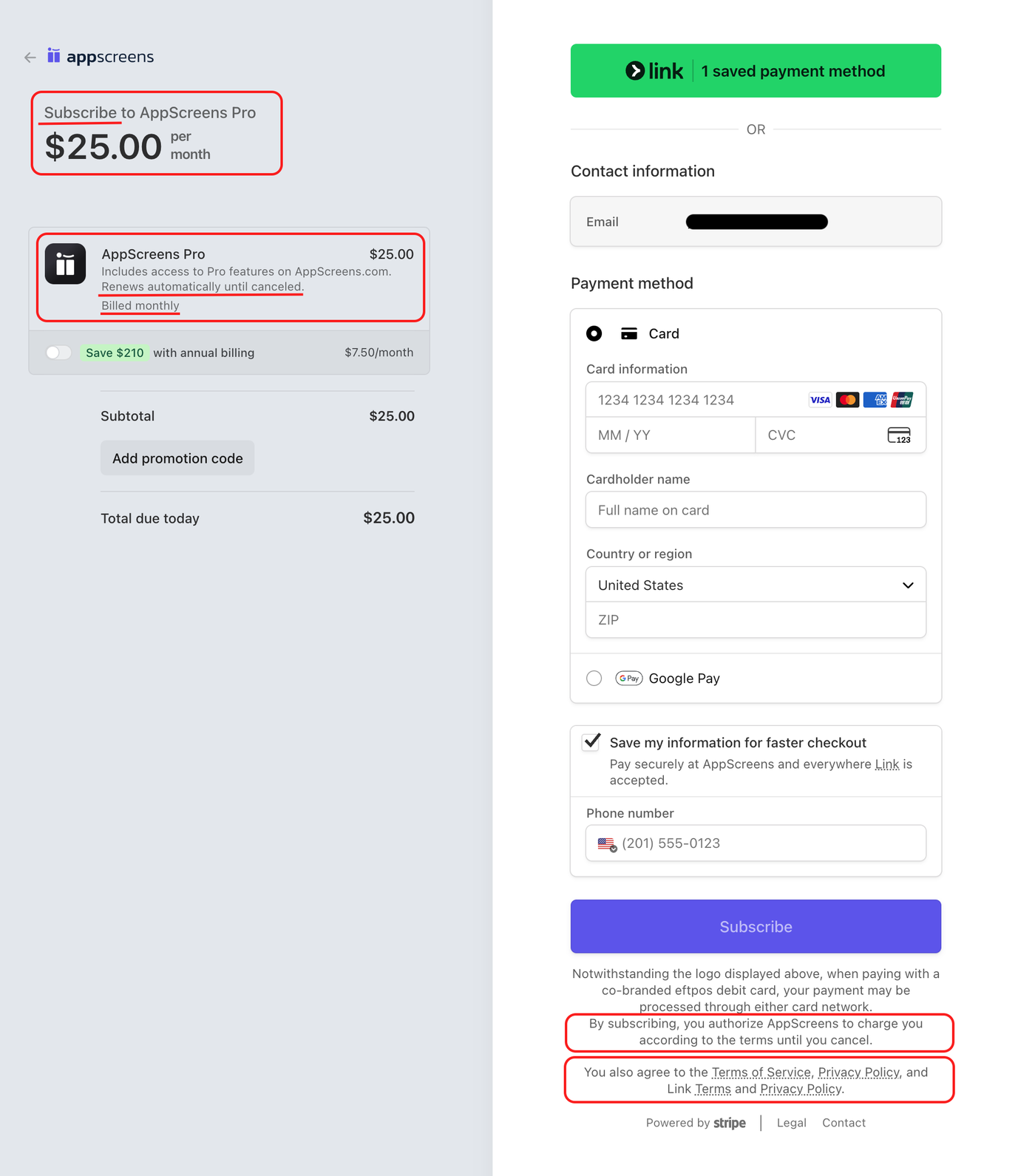
AppScreens subscriptions renew automatically until cancelled. This is clearly shown at checkout, in your AppScreens account under Plan, on your invoice, and in our Terms. We also send a reminder email 7 days before renewal titled “Your AppScreens subscription will renew soon.”
Why renewal payments are not refundable
When a subscription payment is processed, AppScreens incurs third-party payment processing fees, taxes, platform costs, and service costs. These costs may not be returned to us even if a customer is refunded.
For this reason, renewal payments are final once processed. Customers can avoid renewal by cancelling before the renewal date, and we send a reminder email 7 days before renewal to help prevent unwanted charges.
I forgot to cancel
If the subscription was not cancelled before renewal, the renewal payment still applies.
I already cancelled
In most cases, this means the cancellation happened after the renewal had already been processed. Cancelling your subscription stops future renewals only. It does not reverse a payment that has already been processed.
I did not use AppScreens after renewing
We do not offer refunds based on non-use after renewal. The subscription was still active and paid features remained available during that billing period.
I just subscribed and want a refund
We do not offer refunds for first-time subscription payments. Most of AppScreens can be explored before subscribing, so customers can try the product before purchasing. Paid access is only needed when you are ready to download or upload completed screenshots.
How do I stop future renewals?
Subscriptions can be cancelled at any time, and access remains active until the end of the current billing period. To avoid renewal, cancellation must be completed at least 24 hours before the next charge.
I didn’t know it was a subscription
It is clearly stated on the pricing page, at checkout, on your invoice, and in your AppScreens Plan page that the purchase is a subscription billed monthly or yearly until cancelled.
Checkout Page
Plans Page